

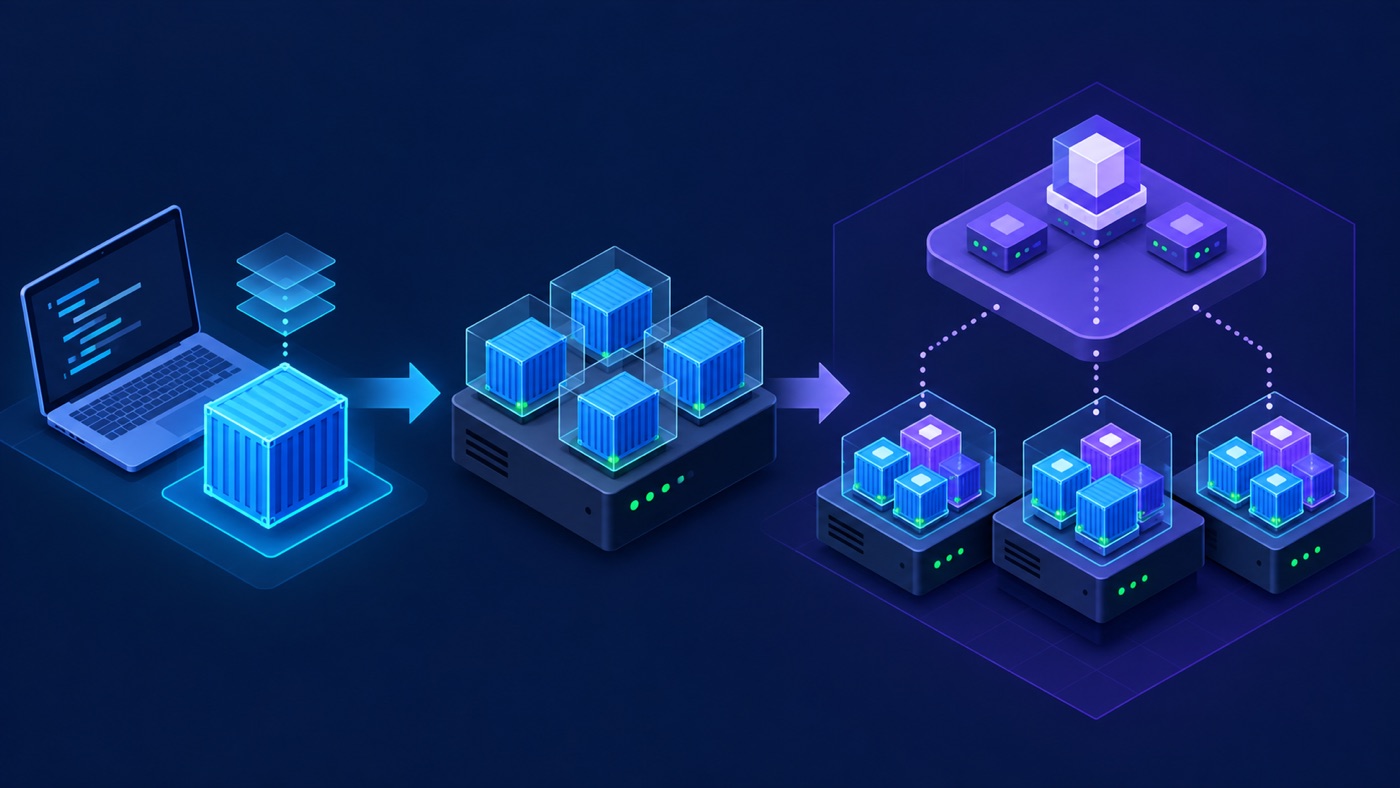
Docker and Kubernetes are often presented as competitors, but they solve problems at different layers. Docker gives developers a practical workflow for building, packaging, distributing, and running containers. Kubernetes coordinates containerized workloads across a cluster and continuously reconciles them toward a declared state.
The useful question is therefore not “Which one wins?” It is “Which layer of the delivery system do I need, and what operational complexity am I prepared to own?”
1. Start With the Core Terms
| Term | Meaning | Operational consequence |
|---|---|---|
| Image | An immutable, layered package containing an application and its runtime dependencies | Promote the same digest between environments instead of rebuilding |
| Container | A running, isolated process created from an image | Its writable filesystem is disposable unless data is placed in durable storage |
| Runtime | Software that creates and manages containers | Kubernetes nodes require a CRI-compatible runtime such as containerd or CRI-O |
| Pod | Kubernetes’ smallest deployable unit, containing one or more tightly coupled containers | Containers in a pod share networking and can share storage |
| Cluster | A control plane plus worker nodes | The platform can schedule, replace, scale, and expose workloads across machines |
2. What Docker Provides
Docker is a developer and container platform. A typical workflow uses a Dockerfile to build an image, a registry to distribute it, and Docker Engine or Docker Desktop to run it. Docker Compose adds a convenient way to describe a multi-container application on a developer machine or a single host.
docker build -t registry.example.com/payments/api:1.8.0 .
docker run --rm -p 8080:8080 registry.example.com/payments/api:1.8.0
docker push registry.example.com/payments/api:1.8.0
The production unit should be an immutable image digest, not a mutable tag such as latest. Multi-stage builds, minimal base images, a non-root user, explicit health checks, and dependency scanning reduce image size and attack surface.
3. What Kubernetes Adds
Kubernetes is a declarative orchestration system. You submit desired state through its API; controllers compare that state with reality and act until the two converge. This model supports:
- Scheduling Pods across worker nodes according to resource requests and placement policy.
- Replacing failed Pods and maintaining replica counts.
- Service discovery and load balancing.
- Rolling updates, controlled rollbacks, and progressive delivery integrations.
- Configuration, secrets, persistent storage, and workload identity.
- Horizontal scaling and policy-driven resource management.
apiVersion: apps/v1
kind: Deployment
metadata:
  name: payments-api
spec:
  replicas: 3
  selector:
    matchLabels:
      app: payments-api
  template:
    metadata:
      labels:
        app: payments-api
    spec:
      containers:
        - name: api
          image: registry.example.com/payments/api@sha256:<digest>
          ports:
            - containerPort: 8080
          resources:
            requests:
              cpu: 250m
              memory: 256Mi
            limits:
              memory: 512Mi
          readinessProbe:
            httpGet:
              path: /ready
              port: 8080
The manifest is only a starting point. A reliable deployment also needs observability, disruption budgets, autoscaling policy, network controls, backup and restore procedures, and an upgrade plan.
4. Docker Images Still Work With Kubernetes
Kubernetes does not build application images, and modern Kubernetes does not require Docker Engine on worker nodes. Kubernetes uses the Container Runtime Interface (CRI) to communicate with a compatible runtime. The in-tree Docker integration known as dockershim was removed in Kubernetes 1.24; containerd and CRI-O are common direct CRI implementations.
This change did not make Docker-built images incompatible. Images that follow the Open Container Initiative format can still be built with Docker and run by a Kubernetes node using containerd or another compatible runtime. Teams can continue using Docker locally while production clusters use a different runtime.
5. Capability Comparison
| Concern | Docker / Compose | Kubernetes |
|---|---|---|
| Image build and local iteration | First-class workflow | Outside the core platform |
| Single-host multi-container app | Simple with Compose | Usually unnecessary overhead |
| Multi-node scheduling | Not the primary model | Core capability |
| Self-healing and reconciliation | Limited host-level restart policy | Controller-driven desired state |
| Rolling deployment | Requires additional tooling | Native workload primitives |
| Operational burden | Lower | Higher: control plane, networking, policy, upgrades, and observability |
6. Choose the Smallest Platform That Meets the Requirement
Use Docker or Docker Compose when:
- You are developing locally, running CI jobs, or packaging a service.
- The application fits comfortably on one machine.
- Downtime can be handled with a straightforward restart or host replacement.
- A small team values low operational overhead more than advanced scheduling.
Use Kubernetes when:
- Many independently deployed services need a shared operating model.
- Workloads must span nodes or availability zones.
- Teams need policy-based deployments, autoscaling, workload identity, and self-service APIs.
- The organization can operate the platform or deliberately use a managed Kubernetes service.
Do not adopt Kubernetes only because an application uses containers. A managed container service, serverless platform, or a small virtual machine running Compose may meet the same reliability goal with less complexity.
7. A Practical Delivery Path
- Build the image once in CI.
- Scan it and generate provenance or an SBOM where required.
- Push it to a registry and record the immutable digest.
- Test that exact artifact.
- Deploy the same digest to staging and production.
- Verify readiness, error rate, latency, saturation, and business metrics.
- Roll back by selecting a known-good digest or reverting the deployment change.
This path works whether the destination is Docker Compose, a managed container platform, or Kubernetes. The orchestrator changes; the artifact promotion and verification principles do not.
8. Production Checklist
- Images are minimal, scanned, signed where appropriate, and run as a non-root user.
- CPU requests and memory limits reflect measured behavior.
- Readiness, liveness, and startup probes have distinct purposes.
- Application state is kept outside disposable container filesystems.
- Secrets come from an approved secret-management path rather than the image.
- Deployments are pinned to immutable digests and have a tested rollback target.
- Logs, metrics, traces, and alerts identify the deployed revision.
Conclusion
Docker makes containers practical to build and run. Kubernetes makes large groups of containerized workloads governable across machines. They are complementary tools, not interchangeable products. Begin with containers, preserve immutable artifacts, and introduce orchestration only when the reliability and organizational benefits justify the additional platform.
Comments
Loading comments…